
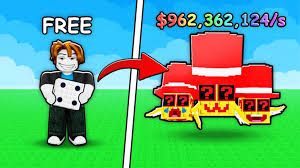
Spin a Brainrot Script
Spin a Brainrot is a funny RNG-style game where you spin for rare brainrot characters, memes, and evolutions. But getting high-tier rolls can take forever, especially with long cooldowns and low chances. The Spin a Brainrot Script helps make progress faster with Auto Spin, Instant Cooldown Reset, Teleport Options, Auto Claim Rewards, and Rarity ESP, giving you a smoother and more enjoyable RNG experience.
What is Spin a Brainrot Script?
The Spin a Brainrot Script is a Lua automation tool that boosts RNG gameplay by automatically spinning, detecting rare rolls, auto-claiming rewards, and teleporting around the map. It includes an easy GUI that gives players full control over spin speed, auto-claim settings, and rarity detection.
Features Of Spin a Brainrot Script
1
Auto Spin
Spins continuously without requiring manual clicking.
2
Remove Spin Cooldown
Allows faster rolling depending on the script version.
3
Rarity ESP
Highlights or notifies when you land on high-tier brainrots.
Download & Copy All Spin a Brainrot Script 2026
Spin a Brainrot Script
loadstring(game:HttpGet("https://raw.githubusercontent.com/gumanba/Scripts/refs/heads/main/SpinaBrainrot", true))()
Also Read: Kayak and Surf Script
How to use Spin a Brainrot Script
- Download a Roblox Executor – Install a reliable executor such as KRNL or Delta Executor.
- Get the Script – Copy the latest Spin a Brainrot Script from a verified source.
- Launch Roblox – Open Spin a Brainrot on your device.
- Attach the Executor – Run your executor and attach it to the Roblox process.
- Paste the Script – Paste the copied script code into your executor.
- Execute the Script – Press “Execute” to load the GUI.
- Open the GUI Menu – Wait for the script interface to appear.
- Activate Features – Enable Auto Spin, Auto Claim, or Rarity ESP.
- Adjust Settings – Modify spin speed, cooldown bypass, or teleport shortcuts.
- Enjoy Better RNG – Let the script automate boring spins while you focus on rare pulls.
Frequently Asked Questions (FAQs)
Does Auto Spin work even when I’m AFK?
Yes — the script continues spinning as long as Roblox stays active.
Can this script help me get rare brainrots faster?
It increases rolling speed, but rarity still depends on luck.
Why is the GUI not loading?
Try reattaching the executor or using a different script version.
Does it work on mobile?
Yes, if you use a mobile-compatible Roblox executor.
Can I get banned for using Spin a Brainrot Script?
There is always risk, but using safe, verified scripts minimizes it.
Conclusion
The Spin a Brainrot Script is perfect for players who want to speed up RNG grinding and get rare spins effortlessly. With Auto Spin, cooldown removal, and rarity detection, the gameplay becomes more fun and less repetitive. Use scripts responsibly, keep them updated, and avoid extreme automation in busy servers for safer performance.
