
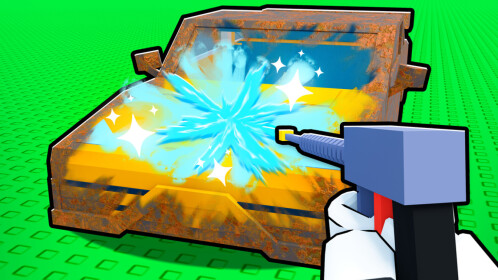
Repair a Car Script
Repair a Car Script is a useful Roblox script that helps players repair vehicles quickly and efficiently in car-based games. With auto repair, faster actions, and smooth automation, this script removes the need for manual fixing and saves a lot of time. It is perfect for players who want uninterrupted driving and smoother gameplay.
What is Repair a Car Script?
Repair a Car Script is a Roblox exploit script designed to automatically repair damaged vehicles in supported games. It helps players instantly fix cars, restore performance, and continue gameplay without delays. This script is mainly used to improve convenience and reduce repetitive tasks.
Features Of Repair a Car Script
1
Auto Car Repair
Automatically repairs damaged vehicles without manual interaction.
2
Instant Fix
Restores car health quickly to keep gameplay smooth.
3
No Manual Tools Needed
Repairs cars without using in-game repair tools.
Download & Copy All Repair a Car Script 2026
1. Repair a Car Script
local replicated_storage = game:GetService("ReplicatedStorage");
local local_player = game:GetService("Players").LocalPlayer;

local humanoid = local_player.Character:WaitForChild("Humanoid");

local net = replicated_storage.Shared.RBXUtil.Net;

local paint_rust = net["URE/Paint Part"];
local fix_rust = net["URE/Fix Rust"];

local paint_color = Color3.new(0.8107843995094299, 0.2925563454627991, 0.25150859355926514);

local rust_instances = {
    "UnionOperation";
    "WedgePart";
    "Part";
};

getgenv().farm = not getgenv().farm;

if (getgenv().farm) then
    repeat
        local car_data = {};

        for _, car_order in local_player:GetChildren() do
            if (not car_order.Name:find("OrderConfig")) then
                continue;
            end;
            local order_index = car_order:FindFirstChild("OrderIndex");
            local car_object = car_order:FindFirstChild("CarObject");
            if (not order_index) or (not car_object) then
                continue;
            end;
            data = {
                ["order_index"] = order_index.Value;
                ["car_object"] = car_object.Value;
                ["required_parts"] = {}; -- remote, type
            };
            table.insert(car_data, data);
        end;

        local data = car_data;

        if (#data == 0) then
            return print("no cars");
        end;

        for _, car in data do
            local object = car.car_object;
            local car_body = object:FindFirstChildWhichIsA("Model");
            if (not car_body) then
                continue;
            end;
            local dirt_folder = car_body:FindFirstChild("Dirt");
            if (dirt_folder) then
                for _, dirt in dirt_folder:GetChildren() do
                    local decal = dirt:FindFirstChildWhichIsA("Decal");
                    if (not decal) or (decal.Transparency == 1) then
                        continue;
                    end;
                    net["URE/Wash Dirt"]:FireServer(dirt);
                end;
            end;
            for _, instance in car_body:GetChildren() do
                local name = instance.Name;
                if (table.find(rust_instances, instance.ClassName)) and (instance.Material ~= "Metal") then
                    fix_rust:FireServer(instance);
                    paint_rust:FireServer(instance, paint_color);
                end;
                if (name == "FuelCap") and (instance:GetAttribute("Open")) then
                    net["RE/Fuel Car"]:FireServer(instance, 100);
                end;
                if (name:find("Wheel")) and (instance:FindFirstChild("Deflated")) then
                    net["URE/Inflate Wheel"]:FireServer(instance);
                end;
                local remote = instance:FindFirstChildWhichIsA("RemoteEvent");
                local part_type = instance:GetAttribute("PartType");
                if (remote) and (part_type) then
                    remote:FireServer();
                    local part_data = {
                        ["type"] = part_type;
                        ["remote"] = remote;
                    };
                    table.insert(car.required_parts, part_data);
                end;
            end;
            for _, instance in object:GetDescendants() do
                if (table.find(rust_instances, instance.ClassName)) and (instance.Material ~= "Metal") then
                    fix_rust:FireServer(instance);
                    paint_rust:FireServer(instance, paint_color);
                end;
                if (instance.Name == "Fog") then
                    local decal = instance:FindFirstChildWhichIsA("Decal");
                    if (not decal) or (decal.Transparency == 1) then
                        continue;
                    end;
                    net["URE/Clean Fog"]:FireServer(instance);
                end;
            end;
            local parts = car.required_parts;
            if (#parts > 0) then
                for _, part in parts do
                    local part_type = part.type;
                    net["RE/BuyItem"]:FireServer("CarParts", part_type);
                    task.wait(.15);
                    humanoid:UnequipTools();
                    task.wait(.15);
                    local tool = local_player.Backpack:WaitForChild(part_type, 2);
                    if (not tool) then
                        print("failed to place tool :(");
                        continue;
                    end;
                    humanoid:EquipTool(tool);
                    task.wait(.15);
                    part.remote:FireServer();
                end;
            end;
            task.wait(1);
            net["RE/Finish Order"]:FireServer(car.order_index);
        end;
        task.wait();
    until (not getgenv().farm);
end;
Also Read: Wavelength Script
How to use Repair a Car Script
Using Repair a Car Script is very simple. Follow these steps:
- Open Roblox and join a car-based or repair game.
- Launch your Roblox script executor.
- Copy the Repair a Car Script.
- Paste it into the executor.
- Click Execute to enable auto repair.
Always make sure to use safe and trusted executors to avoid problems.
Frequently Asked Questions (FAQs)
Q1. Is Repair a Car Script free to use?
Yes, free versions are commonly available online.
Q2. Can I get banned for using this script?
There is always some risk when using exploit scripts.
Q3. Does it work on all car games?
It works on most games that include car repair mechanics.
Q4. Is this script beginner-friendly?
Yes, it is easy to use and requires no technical skills.
Q5. Does the script need updates?
Updates may be required if the game mechanics change.
Conclusion
Repair a Car Script is ideal for players who want quick repairs and smooth driving.
It saves time, reduces frustration, and allows players to focus more on enjoying the game instead of fixing vehicles.
