
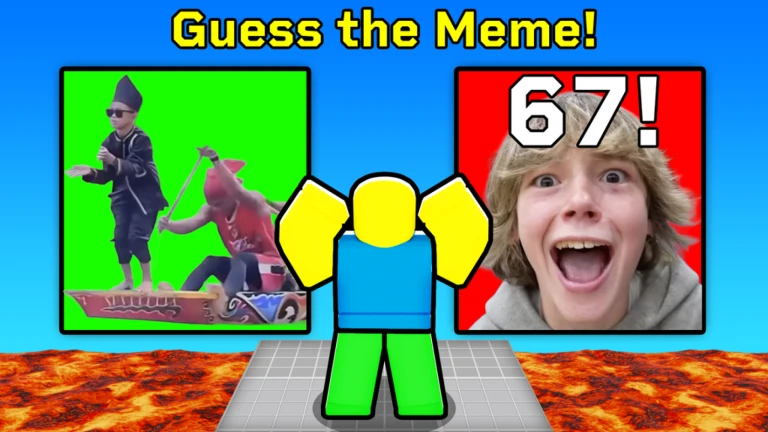
Guess the Meme or Die Script
Guess the Meme or Die Script is a fun Roblox script created to help players survive longer in the Guess the Meme or Die game. It enhances gameplay by offering answer assistance, reaction speed support, round survival help, and mistake reduction, making fast-paced meme rounds easier.
What is Guess the Meme or Die Script?
Guess the Meme or Die Script is a Roblox automation tool that assists players by improving response timing and reducing wrong guesses. It is especially useful in quick decision-based rounds where hesitation can lead to elimination.
Features Of Guess the Meme or Die Script
1
Answer Assistance Support
Helps identify correct meme choices faster.
2
Reaction Speed Enhancement
Improves response timing during short rounds.
3
Mistake Reduction Tools
Reduces wrong selections that lead to elimination.
Download & Copy All Guess the Meme or Die Script 2025
1. Guess the Meme or Die Script
local ReplicatedStorage = game:GetService('ReplicatedStorage')
local VirtualInputManager = game:GetService('VirtualInputManager')

local StartQuestionEvent = ReplicatedStorage.Events:WaitForChild('StartQuestion')
local QuestionDataEvent = ReplicatedStorage.Events:WaitForChild('QuestionData')

local allRounds = {}
local currentRound = nil

---->>> CONFIG <<<----

--[[
    Speed Translations:

    ["SUPER FAST ANSWER!"] = < 1.5,
    ["SPEEDY ANSWER!"] = < 3

--]]

local waitTime = 1.4

---->>>>>><<<<<<----


local function PressKey(keyNumber)
    local keyMap = {
        [1] = Enum.KeyCode.One,
        [2] = Enum.KeyCode.Two,
        [3] = Enum.KeyCode.Three,
        [4] = Enum.KeyCode.Four,
    }

    local keyCode = keyMap[keyNumber]
    VirtualInputManager:SendKeyEvent(true, keyCode, false, game)
    task.wait(0.05)
    VirtualInputManager:SendKeyEvent(false, keyCode, false, game)
end

-->> Capture QuestionData info for all rounds

--[[
    For some reason when a round starts, they send you:

    - Current Round #
    - Round Type (Vote, Song)
    - Options in the form of IDs (37, 48, 63, 92)
    - SongNum in the form of an ID. [Ex. 48]

    + Data for future rounds (upwards of 20 rounds)
    + SongNum is always the correct song choice
--]]

QuestionDataEvent.OnClientEvent:Connect(function(roundsTable)
    for _, roundData in ipairs(roundsTable) do
        allRounds[roundData.Round] = roundData
    end
end)

-->> Listen for when a new round starts
StartQuestionEvent.OnClientEvent:Connect(function(data)
    if not data or not data.RoundNumber then
        return
    end

    local roundNumber = data.RoundNumber
    local roundInfo = allRounds[roundNumber]
    if not roundInfo then
        warn('⚠️ No data found for round', roundNumber)
        return
    end

    -->> Determine the correct option and button index
    if roundInfo.RoundType == 'Song' then
        local correctSongNum = roundInfo.SongNum

        -->> They put this in the UI's localscript for some reason
        local correctIndex = table.find(roundInfo.Options, correctSongNum)

        if correctIndex then
            --[[
                The correctIndex is a number (1-4) which represents your four buttons.
                I just get that number by using table.find with the same args they used in
                the localscript. "LocalPlayer.PlayerGui.QuestionGUI.GameClient"

                "if table.find(v154.Options, v154.ArtistNum or v154.SongNum) == u47 then"
            --]]

            -->> Since there's no event or anything to submit your selection I just fake a key press.
            task.wait(waitTime)
            PressKey(correctIndex)
        else
            warn('⚠️ Could not find SongNum in options for this round.')
        end
    elseif roundInfo.RoundType == 'Vote' then
        -->> Voting rounds don't have a correct answer but voting
        -->> will always give you some extra height for some reason
        task.wait(6)
        PressKey(1)
    else
        warn('⚠️ Unknown round type:', roundInfo.RoundType)
    end
end)

print("✅ [Auto Guesser] Initialized")
Also Read: Natural Disaster Survival Script
How to use Guess the Meme or Die Script
Use the script by following these steps:
- Install a trusted Roblox script executor
- Open Roblox and join the Guess the Meme or Die game
- Wait for the round and character to fully load
- Open your script executor
- Copy the Guess the Meme or Die Script code
- Paste it into the executor input box
- Click Execute / Inject to activate the script
- Enable answer or reaction assistance features
- Adjust settings to avoid obvious automation
- Disable features during practice rounds if needed
Frequently Asked Questions (FAQs)
Is Guess the Meme or Die Script easy to use?
Yes, it is simple and beginner-friendly.
Does the script automatically select answers?
It assists with identification but may require player input.
Can I disable features anytime?
Yes, features can be toggled easily.
Will using the script cause lag?
No, optimized scripts run smoothly.
Is there a ban risk when using this script?
There is always some risk, so moderate use is recommended.
Conclusion
Guess the Meme or Die Script is ideal for players who struggle with fast decision-making under pressure. By assisting with reactions and reducing mistakes, it increases survival chances and keeps the game fun. When used responsibly, the script enhances enjoyment without removing the excitement of quick meme-based challenges.
