
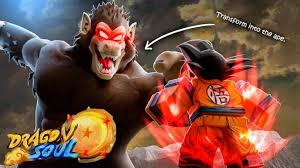
Dragon Soul Script
Dragon Soul Script is a powerful tool designed to enhance your gameplay by unlocking features that make grinding, farming, and fighting much easier. Whether you want auto-farm functions, kill-aura abilities, or faster progression, this script can significantly improve your Dragon Soul experience.
What is Dragon Soul Script?
The Dragon Soul Script is a custom Lua script created for Roblox players to automate tasks, boost combat abilities, and speed up overall progression. It is commonly used with popular script executors and provides players with advanced controls that go beyond normal gameplay.
Features Of Dragon Soul Script
1
Auto Farm
Automatically farms enemies and XP.
2
Kill Aura
Deals damage to nearby enemies without aiming.
3
Auto Quest
Completes quests and tasks automatically.
Download & Copy All Dragon Soul Script 2025
1. Dragon Soul Script Roblox
loadstring(game:HttpGet("https://raw.githubusercontent.com/starstreamowner/StarStream/refs/heads/main/Hub"))()
2. Get Dragon Soul
local plr = game.Players.LocalPlayer
local Library = loadstring(game:HttpGet("https://raw.githubusercontent.com/xHeptc/Kavo-UI-Library/main/source.lua"))()
-- documents https://xheptcofficial.gitbook.io/kavo-library#update
local Window = Library.CreateLib("CHEATER.FUN | Dragon Soul - Anime Adventure Script", "DarkTheme")
local Tab = Window:NewTab("Farming")
local Misc = Window:NewTab("Misc")
local Section = Tab:NewSection("Enemy Farm")
--Section:NewLabel("LabelText")
local dd
function updateDropDown()
    local updatedList = {}
    for i, v in pairs(workspace.Main.Live:GetChildren()) do
        if not table.find(updatedList, v.Name) and v.PrimaryPart then
            table.insert(updatedList, v.Name)
        end
    end
    dd:Refresh(updatedList)
end
local farming = false
local tog = Section:NewToggle("Farming", "Start the whole farming process", function(state)
    farming = state
end)
Section:NewKeybind("KeybindText", "KeybindInfo", Enum.KeyCode.Plus, function()
    farming = not farming
end)
local range = 5
Section:NewSlider("Range", "How far you are from the enemy Upwards", 15, 0, function(s) -- 500 (MaxValue) | 0 (MinValue)
    range = s
end)
Section:NewButton("Update Enemy List", "Specific for this game, due to loading NPCs", function()
    updateDropDown()
end)
local enemyName = ""
dd = Section:NewDropdown("Enemy", "List of current Enemies loaded", {}, function(currentOption)
    enemyName = currentOption
end)
updateDropDown()
local dd2
function updateDropDown2()
    local updatedList = {}
    for i, v in pairs(workspace.QuestObjects:GetChildren()) do
        if not table.find(updatedList, v.Name) and v:IsA("Model") and v.PrimaryPart and v.PrimaryPart:FindFirstChild("ProximityPrompt") then
            table.insert(updatedList, v.Name)
        end
    end
    dd2:Refresh(updatedList)
end
local Questsos = Tab:NewSection("Auto Quest")
local questing = false
Questsos:NewToggle("Auto Quest", "Automatically Start the Quest", function(state)
    questing = state
end)
Questsos:NewButton("Update Quest List", "Specific for this game, due to loading NPCs", function()
    updateDropDown2()
end)
local questNPC = ""
dd2 = Questsos:NewDropdown("Quests", "List of current Quests loaded", {}, function(currentOption)
    questNPC = currentOption
end)
updateDropDown2()
local miscTab = Misc:NewSection("Random Stuff ngl")
local revF = false
miscTab:NewToggle("Auto Reveal Fragments", "Automatically Reveals the ? Fragment", function(state)
    revF = state
end)
miscTab:NewButton("Reveal Soul Orbss", "Shows the Names of the 5 Orbs in Soul Wish", function()
    for i, v in pairs(workspace.Camera:GetChildren()) do
    if v.Name == "SelectableEffect" and v.Glow:FindFirstChild("BillboardGui") then
        v.Glow.BillboardGui.ZIndexBehavior = Enum.ZIndexBehavior.Global
    end
    end
end)
coroutine.wrap(function()
local ui = game:GetService("Players").LocalPlayer.PlayerGui.Inventory.Root.RightPanel.InventoryGridContainer.InventoryGrid
while task.wait(.3) do
    if revF == false then return end
for i, v in pairs(ui:GetDescendants()) do
    if v:IsA("TextLabel") and v.Text == "?" then
       game:GetService("ReplicatedStorage").dataRemoteEvent:FireServer(
{
    [1] = {
        ["GUID"] = v.Parent.Parent.Name,
        ["Data"] = {
            ["Revealed"] = true
        },
        ["Category"] = "Bindable"
    },
    [2] = "~"
})
    end
end
end
end)
function findEnemy()
    for i, v in pairs(workspace.Main.Live:GetChildren()) do
        if v.PrimaryPart and v:GetAttribute("Dead") == false and v.Name == enemyName then
            return v
        end
    end
    return nil
end
local questName = ""
while task.wait() do
    if questing then
        pcall(function()
       if not workspace.QuestObjects:FindFirstChild(questNPC) then return end
        local npc = workspace.QuestObjects:FindFirstChild(questNPC)
        local theQuestName = ""
        if npc == nil then return end
        for i, v in pairs(workspace.QuestPackages:GetChildren()) do
            if v:FindFirstChildWhichIsA("Model") and v:FindFirstChildWhichIsA("Model").PrimaryPart and v:FindFirstChildWhichIsA("Model").PrimaryPart.Name == "HumanoidRootPart" and (npc.PrimaryPart.Position - v:FindFirstChildWhichIsA("Model").PrimaryPart.Position).Magnitude < 6 then
                theQuestName = v.Name
            end
        end
        if theQuestName ~= "" then
            if not plr.PlayerGui.QuestCards.Root.QuestCardsList:FindFirstChild(theQuestName) then
                game:GetService("ReplicatedStorage").dataRemoteEvent:FireServer({
    [1] = theQuestName,
    [2] = utf8.char(6)
})
            end
        end
    end)
    end
    if farming then
        local enemy = findEnemy()
        if enemy then
            spawn(function()
                while farming and enemy and enemy.Name == enemyName and enemy.PrimaryPart and enemy:GetAttribute("Dead") == false do
                    task.wait()
                    pcall(function()
                        plr.Character:MoveTo(enemy.PrimaryPart.Position + Vector3.new(0, range, 0))
                    end)
                end
            end)
            repeat task.wait(1.3)
                    for i = 1, 7 do
                        if enemy and enemy.PrimaryPart and farming and enemy:GetAttribute("Dead") == false and enemy.Name == enemyName then
                        game:GetService("ReplicatedStorage").Events.TryAttack:FireServer({
                            ["Victim"] = enemy,
                            ["Type"] = "Light",
                            ["VictimPosition"] = enemy.PrimaryPart.Position,
                            ["LocalInfo"] = {
                                ["Flying"] = true,
                            },
                            ["CurrentLight"] = i,
                            ["CurrentLightCombo"] = 1,
                            ["CurrentHeavy"] = 3,
                            ["AnimSet"] = "Vegito"
                        })
                        task.wait(.08)
                    end
                end
            until not enemy or enemy:GetAttribute("Dead") == true or farming == false or enemy.Name ~= enemyName
        end
    end
end
Also Read: My Car Show Script
How to use Dragon Soul Script
Use the script by following these steps:
- Install a trusted Roblox script executor (PC or mobile).
- Open the executor and launch Roblox.
- Join the Dragon Soul game.
- Paste the script into the executor’s script box.
- Execute the script to load the GUI.
- Enable the features you want and start playing.
Frequently Asked Questions (FAQs)
Is the Dragon Soul Script free?
Yes, most versions available online are free to use.
Does this script work on mobile?
Yes, if you use a mobile-compatible executor.
Can the script get me banned?
There is always a risk when using scripts; use them responsibly.
Do I need a key to use the script?
Some versions require a key system, while many do not.
Why is the script not working for me?
Your executor may be outdated—try updating or using a different one.
Conclusion
The Dragon Soul Script is a great option if you want to progress quickly, fight stronger enemies, or automate tedious farming tasks. With its easy-to-use GUI and powerful features, it enhances your gameplay and helps you level up much faster. Always use safe executors and trusted script sources to avoid issues.
