
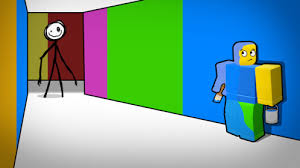
Color or Die Script
Color or Die Script is a powerful Roblox script designed to make the intense puzzle-survival gameplay of Color or Die much easier and smoother. Equipped with features like auto-collect, ESP, and survival boosts, this script helps players escape faster, avoid the monster, and complete levels more efficiently.
What is Color or Die Script?
Color or Die Script is a Lua script created to automate tasks and provide special enhancements inside the Color or Die game. It helps players find items, avoid dangers, complete puzzles, and survive longer using tools like ESP and auto-collect features. With a clean GUI, it makes gameplay more manageable and enjoyable.
Features Of Color or Die Script
1
ESP Items
Highlights paint cans, keys, and important objects so you can find them instantly.
2
ESP Monster
Shows the monster’s exact location to help you avoid being caught.
3
Auto Collect Items
Automatically collects paint cans and puzzle pieces as you move.
Download & Copy All Color or Die Script 2025
1. Color or Die Script Auto Farm GUI
loadstring(game:HttpGet("https://raw.githubusercontent.com/ProjectpopCat/ywxoscripts/main/THcolorordie.lua"))()
2. Get Script Color or Die – Finish UGC Obby (Eggsplorer Helmet)
loadstring(game:HttpGet("https://raw.githubusercontent.com/ToraScript/Script/main/ColororDieObby"))()
3. Get Script Color or Die – ESP
local localPlayer = game.Players.LocalPlayer.Character.HumanoidRootPart

local function getDistance(position1, position2)
    return (position1 - position2).Magnitude
end

for i, player in pairs(workspace.GameplayAssets.Items:GetDescendants()) do
    if player.Name == "Root" and player:IsA("Part") then
        if not player:FindFirstChild("EspBox") then
            local esp = Instance.new("BoxHandleAdornment", player)
            local BillboardGui = Instance.new("BillboardGui")
            local TextLabel = Instance.new("TextLabel")
            esp.Adornee = player
            esp.ZIndex = 0
            esp.Size = Vector3.new(1, 1, 1)
            esp.Transparency = 0.65
            esp.Color3 = Color3.fromRGB(255, 48, 48)
            esp.AlwaysOnTop = true
            esp.Name = "EspBox"

            BillboardGui.Parent = player
            BillboardGui.AlwaysOnTop = true
            BillboardGui.LightInfluence = 1
            BillboardGui.Size = UDim2.new(0, 40, 0, 40)
            BillboardGui.StudsOffset = Vector3.new(0, 2, 0)
            BillboardGui.Name = "BillobardEsp"

            TextLabel.Parent = BillboardGui
            TextLabel.BackgroundColor3 = Color3.new(1, 1, 1)
            TextLabel.BackgroundTransparency = 1
            TextLabel.Size = UDim2.new(1, 0, 1, 0)
            TextLabel.Text = player.Parent.Name
            TextLabel.TextStrokeTransparency = 0
            TextLabel.TextWrapped = false
            TextLabel.TextColor3 = Color3.new(1, 0, 0)


            spawn(function()
                while player.Parent do
                    local distance = getDistance(localPlayer.Position, player.Position)
                    TextLabel.Text = player.Parent.Name .. " (" .. math.floor(distance) .. ")"
                    wait()
                end
            end)
        end
    end
end

for i, player in pairs(workspace.GameplayParts.Doors.Normal.Paintable:GetDescendants()) do
    if player.Name == "Core" and player:IsA("Part") then
        if not player:FindFirstChild("EspBox") then
            local esp = Instance.new("BoxHandleAdornment", player)
            local BillboardGui = Instance.new("BillboardGui")
            local TextLabel = Instance.new("TextLabel")
            esp.Adornee = player
            esp.ZIndex = 0
            esp.Size = Vector3.new(1, 12, 12)
            esp.Transparency = 0.65
            esp.Color3 = player:FindFirstChild("SurfaceGui"):FindFirstChild("Color").TextColor3
            esp.AlwaysOnTop = true
            esp.Name = "EspBox"

            BillboardGui.Parent = player
            BillboardGui.AlwaysOnTop = true
            BillboardGui.LightInfluence = 1
            BillboardGui.Size = UDim2.new(0, 40, 0, 40)
            BillboardGui.StudsOffset = Vector3.new(0, 2, 0)
            BillboardGui.Name = "BillobardEsp"

            TextLabel.Parent = BillboardGui
            TextLabel.BackgroundColor3 = Color3.new(1, 1, 1)
            TextLabel.BackgroundTransparency = 1
            TextLabel.Size = UDim2.new(1, 0, 1, 0)
            TextLabel.Text = player.Parent.Name
            TextLabel.TextStrokeTransparency = 0
            TextLabel.TextWrapped = false
            TextLabel.TextColor3 = player:FindFirstChild("SurfaceGui"):FindFirstChild("Color").TextColor3


            spawn(function()
                while player.Parent do
                    local distance = getDistance(localPlayer.Position, player.Position)
                    TextLabel.Text = player.Parent.Name .. " (" .. math.floor(distance) .. ")"
                    wait()
                end
            end)
        end
    end
end

for i, player in pairs(workspace.GameplayAssets.Monsters:GetChildren()) do
    if not player:FindFirstChild("EspBox") then
        local esp = Instance.new("BoxHandleAdornment", player)
        local BillboardGui = Instance.new("BillboardGui")
        local TextLabel = Instance.new("TextLabel")
        esp.Adornee = player
        esp.ZIndex = 0
        esp.Size = Vector3.new(5, 15, 2)
        esp.Transparency = 0.65
        esp.Color3 = Color3.fromRGB(0, 0, 0)
        esp.AlwaysOnTop = true
        esp.Name = "EspBox"

        BillboardGui.Parent = player
        BillboardGui.AlwaysOnTop = true
        BillboardGui.LightInfluence = 1
        BillboardGui.Size = UDim2.new(0, 40, 0, 40)
        BillboardGui.StudsOffset = Vector3.new(0, 2, 0)
        BillboardGui.Name = "BillobardEsp"

        TextLabel.Parent = BillboardGui
        TextLabel.BackgroundColor3 = Color3.new(1, 1, 1)
        TextLabel.BackgroundTransparency = 1
        TextLabel.Size = UDim2.new(1, 0, 1, 0)
        TextLabel.Text = player.Name
        TextLabel.TextStrokeTransparency = 0
        TextLabel.TextWrapped = false
        TextLabel.TextColor3 = Color3.new(1, 1, 1)

        spawn(function()
            while player.Parent do
                local distance = getDistance(localPlayer.Position, player:FindFirstChild("HumanoidRootPart").Position)
                TextLabel.Text = player.Name .. " (" .. math.floor(distance) .. ")"
                wait()
            end
        end)
    end
end
for i, player in pairs(workspace.GameplayAssets.Items.Normal.PaintBucket:GetDescendants()) do
    if player.Name == "Paint" then
    if not player:FindFirstChild("EspBox") then
        local esp = Instance.new("BoxHandleAdornment", player.Parent)
        local BillboardGui = Instance.new("BillboardGui")
        local TextLabel = Instance.new("TextLabel")
        esp.Adornee = player.Parent
        esp.ZIndex = 0
        esp.Size = Vector3.new(1.5, 1.8, 1.5)
        esp.Transparency = 0.65
        esp.Color3 = player.Color
        esp.AlwaysOnTop = true
        esp.Name = "EspBox"

        BillboardGui.Parent = player.Parent
        BillboardGui.AlwaysOnTop = true
        BillboardGui.LightInfluence = 1
        BillboardGui.Size = UDim2.new(0, 40, 0, 40)
        BillboardGui.StudsOffset = Vector3.new(0, 2, 0)
        BillboardGui.Name = "BillobardEsp"

        TextLabel.Parent = BillboardGui
        TextLabel.BackgroundTransparency = 1
        TextLabel.Size = UDim2.new(1, 0, 1, 0)
        TextLabel.Text = player.Parent.Name
        TextLabel.TextStrokeTransparency = 0
        TextLabel.TextWrapped = false
        TextLabel.TextColor3 = player.Color

        spawn(function()
            while player.Parent do
                local distance = getDistance(localPlayer.Position, player.Position)
                TextLabel.Text = player.Parent.Name .. " (" .. math.floor(distance) .. ")"
                wait()
            end
        end)
    end
end
end

function dellEsp()
    for i, player in pairs(workspace:GetDescendants()) do
        if player.Name == "BillobardEsp" and player:IsA("BillboardGui") then
            player:Destroy()
        end
        if player.Name == "EspBox" then
            player:Destroy()
        end
    end
end
Also Read: Piggy Script
How to use Color or Die Script
Use the script by following these steps:
- Install a trusted Roblox script executor.
- Copy the Color or Die Script from a reliable source.
- Open your executor and paste the script inside.
- Launch Roblox and join the Color or Die game.
- Inject and run the script.
- Open the GUI and enable features like ESP or auto collect.
Frequently Asked Questions (FAQs)
Is Color or Die Script safe to use?
Yes, when used with trusted executors and reliable script sources.
Can I use it on mobile?
Yes, if you have a mobile-compatible script executor.
Does it include ESP?
Yes, most versions include item and monster ESP.
Will this script auto complete levels?
Some versions can speed up progression, but it depends on the script developer.
Can I get banned?
There is always a risk when using scripts, so use carefully.
Conclusion
Color or Die Script is an excellent helper for players who want a less stressful and more efficient gameplay experience. With item ESP, monster tracking, auto collect, and speed boosts, it gives you everything you need to complete levels faster and survive every chase.
