
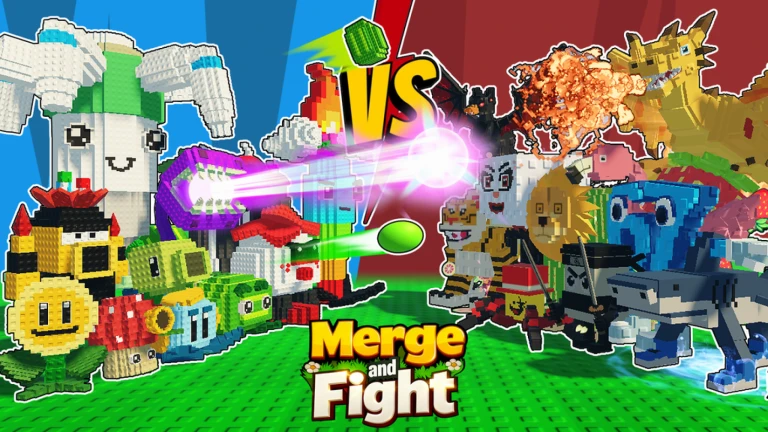
Merge and Fight Script
The Merge and Fight Script is a powerful Roblox script designed to help players progress faster in merge-style battle games. With auto-merge, auto-fight, unit upgrades, and resource farming, this script makes it easier to build strong armies and win battles effortlessly. It’s perfect for players who want faster progression and smoother gameplay.
What is Merge and Fight Script?
The Merge and Fight Script is a Lua-based tool created for Roblox games where players merge units and send them into battle. It automates merging, boosts fighting efficiency, collects rewards, and manages upgrades. Whether you’re new to the game or pushing for higher levels, this script removes repetitive tasks and gives you a strategic advantage.
Features Of Merge and Fight Script
1
Auto-Merge Units
Automatically combines units to create stronger fighters without manual effort.
2
Auto-Fight Mode
Sends your army into battle at the perfect time for maximum efficiency.
3
Auto-Farm Rewards
Collects coins, items, and upgrades while you focus on strategy.
Download & Copy All Merge and Fight Script 2025
1. Merge and Fight Script
if game:GetService("CoreGui"):FindFirstChild("ToraScript") then
    game:GetService("CoreGui").ToraScript:Destroy()
end

local lib = loadstring(game:HttpGet("https://raw.githubusercontent.com/liebertsx/Tora-Library/main/src/librarynew", true))()
local win = lib:CreateWindow("Merge and Fight")

win:AddBox({
    text = "Minimum Price to Buy",
    flag = "box",
    value = "Set Price Threshold",
    callback = function(v)
        Price = tonumber(v) or 0
    end,
})

win:AddToggle({
    text = "Auto Buy",
    flag = "toggle",
    state = false,
    callback = function(v)
        _G.Buy = v
        if v then Buy() end
    end,
})

local function ConvertPrice(str)
    str = str:gsub("%$", ""):gsub(",", ""):gsub("%s", "")
    local mult = 1
    local last = str:sub(-1):upper()

    if last == "K" then
        mult = 1000
        str = str:sub(1, -2)
    elseif last == "M" then
        mult = 1_000_000
        str = str:sub(1, -2)
    elseif last == "B" then
        mult = 1_000_000_000
        str = str:sub(1, -2)
    elseif last == "T" then
        mult = 1_000_000_000_000
        str = str:sub(1, -2)
    end

    return (tonumber(str) or 0) * mult
end

function Buy()
    spawn(function()
        _G.Buy = true
        while _G.Buy do
            task.wait()
            pcall(function()
                local plr = game:GetService("Players").LocalPlayer
                local cash = plr.leaderstats.Cash.Value or 0
                local minPrice = Price or 0
                local hrp = plr.Character.HumanoidRootPart
                local prevCF = hrp.CFrame

                for _, obj in pairs(workspace.Space[plr:GetAttribute("PlayerSlotId")].SeedMachinePoint:GetDescendants()) do
                    if obj.Name == "Price" and obj:IsA("TextLabel") then
                        local price = ConvertPrice(obj.Text)
                        if minPrice <= price and price <= cash then
                            hrp.CFrame = CFrame.new(obj.Parent.Parent.Parent.Parent.Position) * CFrame.new(0, 5, 0)
                            task.wait(0.2)
                            fireproximityprompt(obj.Parent.Parent.Parent.Prompt.ProximityPrompt)
                            task.wait(0.5)
                            hrp.CFrame = prevCF
                            break
                        end
                    end
                end
            end)
        end
    end)
end

win:AddToggle({
    text = "Auto Merge",
    flag = "toggle",
    state = false,
    callback = function(v)
        _G.Merge = v
        if v then Merge() end
    end,
})

function Merge()
    spawn(function()
        _G.Merge = true
        while _G.Merge do
            wait()
            pcall(function()
                local plr = game:GetService("Players").LocalPlayer
                local slot = plr:GetAttribute("PlayerSlotId")
                local hrp = plr.Character.HumanoidRootPart
                local char = plr.Character
                local prevCF = hrp.CFrame
                local plants = {}

                for _, plant in pairs(workspace.Space[slot].PlantSlot:GetDescendants()) do
                    if string.find(plant.Name, "Plant/") and plant:GetAttribute("Type") then
                        local t = plant:GetAttribute("Type")
                        plants[t] = plants[t] or {}
                        table.insert(plants[t], plant)
                    end
                end

                for _, list in pairs(plants) do
                    if #list >= 2 then
                        local p1 = list[1]
                        local p2 = list[2]

                        local tool = char:FindFirstChildOfClass("Tool")
                        if tool then
                            tool:Deactivate()
                            tool.Parent = plr.Backpack
                        end

                        task.wait(0.2)
                        hrp.CFrame = p1.Base.CFrame
                        task.wait(0.2)
                        fireproximityprompt(p1.Parent.Prompt.ProximityPrompt)

                        hrp.CFrame = p2.Base.CFrame
                        task.wait(0.2)
                        fireproximityprompt(p2.Parent.Prompt.ProximityPrompt)

                        wait(0.5)
                        hrp.CFrame = prevCF
                        break
                    end
                end

                wait(1)
            end)
        end
    end)
end

win:AddToggle({
    text = "Equip Best / Cash",
    flag = "toggle",
    state = false,
    callback = function(v)
        _G.Equip = v
        if v then Equip() end
    end,
})

function Equip()
    spawn(function()
        _G.Equip = true
        while _G.Equip do
            wait()
            pcall(function()
                game:GetService("ReplicatedStorage").Remotes.EquipBestItemRE:FireServer()
                wait(5)
            end)
        end
    end)
end

win:AddButton({
    text = "Sell all Brainrots",
    flag = "button",
    callback = function()
        local items = {}
        for _, item in pairs(game:GetService("Players").LocalPlayer.Backpack:GetChildren()) do
            if item:GetAttribute("ItemType") == "Pet" then
                items[item:GetAttribute("Id")] = 1
            end
        end
        if next(items) then
            game:GetService("ReplicatedStorage").Remotes.SellItemRE:FireServer(unpack({ items }))
        end
    end,
})

win:AddButton({
    text = "Sell all Plants",
    flag = "button",
    callback = function()
        local items = {}
        for _, item in pairs(game:GetService("Players").LocalPlayer.Backpack:GetChildren()) do
            if item:GetAttribute("ItemType") == "Plant" then
                items[item:GetAttribute("Id")] = 1
            end
        end
        if next(items) then
            game:GetService("ReplicatedStorage").Remotes.SellItemRE:FireServer(unpack({ items }))
        end
    end,
})

win:AddLabel({ text = "YouTube: Tora IsMe" })

local ui = lib:CreateWindow("open UI")

ui:AddButton({
    text = "Portal UI",
    flag = "button",
    callback = function()
        local g = game:GetService("Players").LocalPlayer.PlayerGui:WaitForChild("DialogPetProduction")
        g.Enabled = not g.Enabled
    end,
})

ui:AddButton({
    text = "Conveyor UI",
    flag = "button",
    callback = function()
        local g = game:GetService("Players").LocalPlayer.PlayerGui:WaitForChild("DialogProduction")
        g.Enabled = not g.Enabled
    end,
})

ui:AddButton({
    text = "Auto Sell UI",
    flag = "button",
    callback = function()
        local g = game:GetService("Players").LocalPlayer.PlayerGui:WaitForChild("DialogSellSettings")
        g.Enabled = not g.Enabled
    end,
})

ui:AddButton({
    text = "Gear Shop UI",
    flag = "button",
    callback = function()
        local g = game:GetService("Players").LocalPlayer.PlayerGui:WaitForChild("ScreenNPCShop")
        g.Enabled = not g.Enabled
    end,
})

lib:Init()
Also Read: 3008 Script
How to use Merge and Fight Script
Setting up and using the Merge and Fight Script is easy for players of all experience levels.
- Install a reliable Roblox executor for your device (PC or mobile).
- Open Roblox and join the Merge and Fight game you want to play.
- Open your executor and paste the Merge and Fight Script into the script area.
- Click Execute to load the script menu and activate features.
- Enable auto-merge, auto-fight, or auto-farm depending on your preferred playstyle.
- Adjust upgrade settings, merging speed, or fighting intervals if the script allows customization.
- Make sure your executor stays updated to ensure maximum performance and avoid errors.
Once the script is active, your army will merge, fight, and grow automatically, giving you faster progression with less manual effort.
Frequently Asked Questions (FAQs)
Does the script work for all Merge and Fight games?
It supports many popular versions but may not work in every game.
Is it mobile-compatible?
Yes, you can use it with a compatible mobile executor.
Can I customize unit upgrade settings?
Most versions offer adjustable upgrade preferences and merge speed.
Will it slow down my device?
No, it is optimized to run smoothly even on low-end devices.
Is it safe to use scripts in Roblox?
Use trusted executors and safe sources to reduce risks.
Conclusion
The Merge and Fight Script is an excellent tool for players wanting to speed up their progress in merge-based battle games. Its automated merging, fighting, and farming features save time and help you build stronger armies with ease. Whether you want stress-free progression or want to reach higher levels faster, this script delivers reliable support and smooth performance. Lightweight and easy to set up, it’s a valuable addition for anyone who enjoys Merge and Fight gameplay.
