
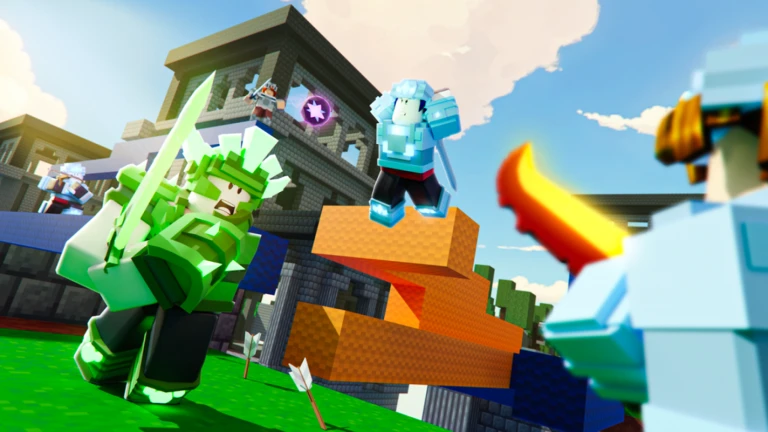
Bedwars Script
BedWars Script is a powerful tool for Roblox BedWars players who want smoother gameplay, faster wins, and an easier way to dominate matches. This script includes Kill Aura, Auto Click, Block Placer, ESP, Anti-Void, Reach, and Speed Boost. These features make it easier to break beds, defend teammates, and outplay opponents without struggling with manual controls.
What is Bedwars Script?
A BedWars Script is a Lua-coded program used to unlock new abilities inside Roblox BedWars. It improves your gameplay by adding automatic combat tools, base defense features, and movement enhancements. Instead of playing completely manually, the script helps automate tasks, boost your fighting power, and reduce mistakes during clutch situations.
Features Of Bedwars Script
1
Kill Aura
Automatically attacks enemies when they come near, giving a strong advantage in close combat.
2
Auto Clicker
Increases click speed for faster bridging, fighting, and resource collecting.
3
Block Placer
Places blocks instantly and accurately, helping with fast building and clutch saves.
Download & Copy All Bedwars Script 2026
1. Rise Hub
loadstring(game:HttpGet("https://raw.githubusercontent.com/0xEIite/rust/main/NewMainScript.lua", true))()
2. VapeV4
loadstring(game:HttpGet("https://raw.githubusercontent.com/miacheats/VapeV4ForRoblox/main/NewMainScript.lua", true))()
3. Get BedWars Script – Kill Aura, GodMode
loadstring(game:HttpGet("https://raw.githubusercontent.com/warprbx/NightRewrite/refs/heads/main/Night/Loader.luau"))()
4. Script BedWars FPS Booster
-- Roblox FPS Booster Script for BedWars
-- Note: Use responsibly and ensure it complies with Roblox's terms of service.

local function fpsBooster()
    -- Set FPS cap
    setfpscap(9999)

    -- Function to remove textures
    local function removeTextures(object)
        if object:IsA("BasePart") or object:IsA("Decal") or object:IsA("Texture") then
            object:Destroy()
        end
    end

    -- Iterate through all objects to remove textures
    for _, v in pairs(workspace:GetDescendants()) do
        removeTextures(v)
    end

    -- Remove chat bubbles
    local function removeChatBubbles()
        local ChatService = game:GetService("Chat")
        ChatService.BubbleChatEnabled = false
    end

    removeChatBubbles()

    -- Change sky to grey
    local Lighting = game:GetService("Lighting")
    Lighting.Sky:Destroy()
    local newSky = Instance.new("Sky")
    newSky.Parent = Lighting
    newSky.SkyboxBk = ""
    newSky.SkyboxDn = ""
    newSky.SkyboxFt = ""
    newSky.SkyboxLf = ""
    newSky.SkyboxRt = ""
    newSky.SkyboxUp = ""
    newSky.CelestialBodiesShown = false
    newSky.SunAngularSize = 0
    Lighting.Brightness = 1
    Lighting.Ambient = Color3.fromRGB(128, 128, 128)

    -- Set player skin color to grey and remove clothes
    local function setPlayerAppearance(player)
        if player and player.Character then
            for _, part in pairs(player.Character:GetChildren()) do
                if part:IsA("BasePart") then
                    part.Color = Color3.fromRGB(128, 128, 128)
                end
            end

            -- Remove clothes
            for _, item in pairs(player.Character:GetChildren()) do
                if item:IsA("Shirt") or item:IsA("Pants") or item:IsA("ShirtGraphic") then
                    item:Destroy()
                end
            end
        end
    end

    setPlayerAppearance(game.Players.LocalPlayer)

    -- Function to modify armor and sword colors
    local function modifyGearColors(player)
        if player and player.Character then
            for _, item in pairs(player.Character:GetChildren()) do
                if item:IsA("Tool") then
                    for _, obj in pairs(item:GetDescendants()) do
                        if obj:IsA("BasePart") then
                            if math.random() > 0.4 then
                                obj.Color = Color3.fromRGB(128, 128, 128)
                            else
                                obj.Color = Color3.fromRGB(139, 69, 19)
                            end
                        end
                    end
                end
            end
        end
    end

    modifyGearColors(game.Players.LocalPlayer)

    -- Monitor for character changes
    game.Players.LocalPlayer.CharacterAdded:Connect(function(character)
        setPlayerAppearance(game.Players.LocalPlayer)
        modifyGearColors(game.Players.LocalPlayer)
    end)
end

fpsBooster()
5. OP SCRIPT AURORA
loadstring(game:HttpGet("https://raw.githubusercontent.com/cocotv666/Aurora/main/Aurora_Loader"))()
Also Read: Heroes Battlegrounds Script
How to use Bedwars Script
- Install any working Roblox executor (for PC or mobile).
- Copy the BedWars script code.
- Open Roblox and join BedWars.
- Run your executor on top of the game.
- Paste the script into the executor.
- Inject and execute the script.
- Use the UI panel to activate your preferred features.
Frequently Asked Questions (FAQs)
Can the script help me win more games?
Yes, features like Kill Aura, Reach, and Block Placer make battles much easier.
Does it work on mobile?
Yes, if your executor supports scripts on mobile devices.
Does Anti-Void prevent all falls?
Most of the time, yes — it teleports you before you fall fully.
Can I disable features anytime?
Yes, all options can be toggled in the UI panel.
Does the script update often?
Most creators update it when BedWars receives new patches.
Conclusion
The BedWars Script is an excellent tool for players wanting easier wins, faster combat, and automated gameplay improvements. With features like Kill Aura, Anti-Void, Reach, and ESP, it boosts performance and simplifies both offense and defense. Whether you are a beginner or advanced player, this script helps you play more efficiently and enjoy smoother matches.
