
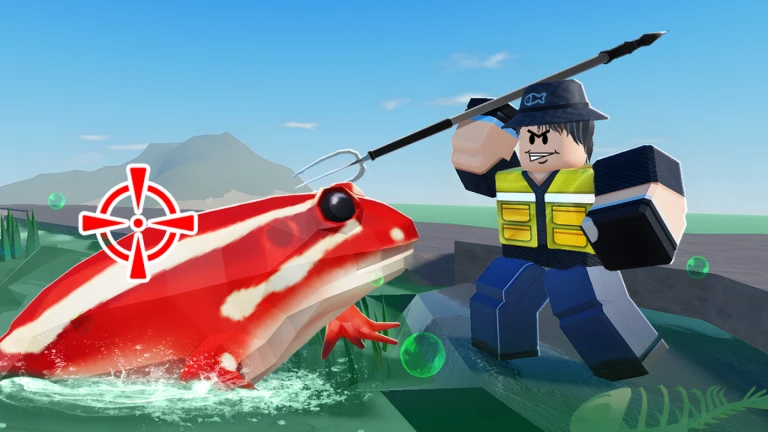
Spear Fishing Script
The Spear Fishing Script is designed to make the Roblox Spear Fishing game easier, faster, and more enjoyable. With tools like Auto Fish, Instant Catch, ESP, and Auto Sell, players can progress quickly without constant manual tapping.
What is Spear Fishing Script?
The Spear Fishing Script is a Lua script created for the Roblox game Spear Fishing. It provides players with automated fishing tools, visual enhancements, and efficiency boosts. Instead of manually aiming and catching fish, the script can automate the process or improve your chances by highlighting fish and speeding up gameplay.
In simple terms, it helps you catch more fish, earn more coins, and progress faster with far less effort.
Features Of Spear Fishing Script
1
Auto Fish
Automatically throws the spear and catches fish without needing any clicks.
2
Instant Catch
Catches fish instantly upon targeting, helping you earn coins rapidly.
3
ESP for Fish
Highlights all fish underwater, making it easier to target rare or valuable ones.
Download & Copy All Spear Fishing Script 2025
1. Spear Fishing Script
--[[
	WARNING: Heads up! This script has not been verified by ScriptBlox. Use at your own risk!
]]
local player = game:GetService("Players").LocalPlayer
local UIS = game:GetService("UserInputService")
local TweenService = game:GetService("TweenService")

local ScreenGui = Instance.new("ScreenGui", player:WaitForChild("PlayerGui"))
ScreenGui.Name = "AutoFarmGUI"
ScreenGui.ResetOnSpawn = false

local Button = Instance.new("TextButton", ScreenGui)
Button.Size = UDim2.new(0, 140, 0, 45)
Button.Position = UDim2.new(0.05, 0, 0.3, 0)
Button.Text = "Auto Farm: OFF"
Button.BackgroundColor3 = Color3.fromRGB(255, 70, 70)
Button.TextScaled = true
Button.Active = true

local autoFarm = false

local dragging = false
local dragStart
local startPosButton

local function update(input)
    local delta = input.Position - dragStart
    Button.Position = UDim2.new(
        startPosButton.X.Scale,
        startPosButton.X.Offset + delta.X,
        startPosButton.Y.Scale,
        startPosButton.Y.Offset + delta.Y
    )
end

local function dragBegin(input)
    dragging = true
    dragStart = input.Position
    startPosButton = Button.Position
end

local function dragEnd(input)
    dragging = false
end

Button.InputBegan:Connect(function(input)
    if input.UserInputType == Enum.UserInputType.MouseButton1
    or input.UserInputType == Enum.UserInputType.Touch then
        dragBegin(input)
    end
end)
Button.InputEnded:Connect(dragEnd)

UIS.InputChanged:Connect(function(input)
    if dragging and (input.UserInputType == Enum.UserInputType.MouseMovement
        or input.UserInputType == Enum.UserInputType.Touch) then
        update(input)
    end
end)

local function getNearestRoot()
    local nearest
    local minDistance = math.huge

    local char = player.Character
    if not char or not char:FindFirstChild("HumanoidRootPart") then return nil end

    local hrp = char.HumanoidRootPart

    for _, sea in ipairs(workspace.WorldSea:GetChildren()) do
        for _, fish in ipairs(sea:GetChildren()) do
            if fish:FindFirstChild("Model") and fish.Model:FindFirstChild("Root") then
                local root = fish.Model.Root
                local dist = (root.Position - hrp.Position).Magnitude

                if dist < minDistance then
                    minDistance = dist
                    nearest = root
                end
            end
        end
    end

    return nearest
end

local function tweenToRoot(root)
    local char = player.Character
    if not char or not char:FindFirstChild("HumanoidRootPart") then return end

    local hrp = char.HumanoidRootPart
    local distance = (root.Position - hrp.Position).Magnitude

    local tweenInfo = TweenInfo.new(
        distance / 60,
        Enum.EasingStyle.Linear
    )

    local tween = TweenService:Create(hrp, tweenInfo, {
        CFrame = CFrame.new(root.Position)
    })

    tween:Play()
    return tween
end

local function findTool()
    local char = player.Character
    if not char then return nil end

    for _, item in ipairs(char:GetChildren()) do
        if item:IsA("Tool") then
            return item
        end
    end

    return nil
end

local function autoCast(root)
    if not root then return end

    local tool = findTool()
    if not tool then return end

    local args = {
        [1] = "Fire",
        [2] = {
            cameraOrigin = workspace.CurrentCamera.CFrame.Position,
            player = player,
            toolInstance = tool,
            destination = root.Position,
            isCharge = false
        }
    }

    game:GetService("ReplicatedStorage").Remotes.FireRE:FireServer(unpack(args))
end

task.spawn(function()
    while true do
        if autoFarm then
            local root = getNearestRoot()
            if root then
                tweenToRoot(root)
                task.wait(0.2)
                autoCast(root)
            end
        end
        task.wait(0.03)
    end
end)

Button.MouseButton1Click:Connect(function()
    autoFarm = not autoFarm
    if autoFarm then
        Button.Text = "Auto Farm: ON"
        Button.BackgroundColor3 = Color3.fromRGB(70, 255, 70)
    else
        Button.Text = "Auto Farm: OFF"
        Button.BackgroundColor3 = Color3.fromRGB(255, 70, 70)
    end
end)
Also Read: Hatch 1 Million Chickens Script
How to use Spear Fishing Script
- Open a compatible executor (Arceus X Neo, Delta, Fluxus, Evon, etc.).
- Copy the latest Spear Fishing Script.
- Launch Roblox and join Spear Fishing.
- Paste the script into your executor.
- Click Execute to load the script menu.
- Activate features like Auto Fish, ESP, Auto Sell, or Teleports.
- Customize settings to match your gameplay style.
Frequently Asked Questions (FAQs)
Does Auto Fish work on all fish types?
Yes, it automatically targets and catches most fish in the game.
Can I use it on mobile?
Yes, mobile executors support this script.
Does ESP help find rare fish?
Absolutely — it highlights all fish around you.
Is Auto Sell included?
Yes, the script sells fish automatically when your inventory fills.
Does it require regular updates?
Only when the game updates or your executor changes.
Conclusion
The Spear Fishing Script is ideal for players who want to catch fish faster, earn more coins, and skip repetitive grinding. With powerful features like Auto Fish, ESP, Auto Sell, and Auto Upgrades, it completely transforms your fishing experience.
Whether you’re farming coins or grinding to unlock rare upgrades, this script gives you the tools to progress smoothly and efficiently.
